SP
Stressed professionals
“I don’t have time for another app.”
NEEDS
A check-in that takes seconds, not minutes.
→ Check-in
Available for new projects · Limassol
CASE 01 · PRODUCT DESIGN · MOBILE APP
A mental health app that turns daily check-ins into one score people can understand, and gives a next step for every result.
01 — PROBLEM
People who want to look after their mental health usually start strong and stop after a week. Mood trackers collect data but don't explain it, meditation apps don't know how you feel today, and therapy is expensive with long waiting lists. The result is a lot of logging and no clear answer to: am I getting better, and what should I do today?
How might we help people understand their mental state in seconds and give them one small, useful action every day?
02 — RESEARCH
Main finding: people stopped because the app felt like homework, the charts didn’t tell them anything, and paid content appeared before any value.
03 — AUDIENCE
Who the site is for, what each group needs, and the page that answers it.
“I don’t have time for another app.”
NEEDS
A check-in that takes seconds, not minutes.
→ Check-in
“Why am I so tired all week?”
NEEDS
To see how sleep, mood and stress connect.
→ InnerGlow Score
“I need something until I get help.”
NEEDS
Safe support and a clear route to a professional.
→ AI companion
04 — JOURNEY MAP
What a visitor does, thinks and struggles with at each step, and the design decision that answers it.
DOING
Feels stressed or sleeps badly
THINKING
“I should look after myself.”
PAIN POINT
Five apps, none connected
DESIGN RESPONSE
Mood, sleep, stress and AI in one app
DOING
Takes the assessment
THINKING
“Is this worth my time?”
PAIN POINT
Paywall before any value
DESIGN RESPONSE
Value first, upgrade after real use
DOING
Logs mood with one tap
THINKING
“I don’t have energy for this.”
PAIN POINT
Logging feels like homework
DESIGN RESPONSE
One-tap emoji check-in
DOING
Sees the InnerGlow Score
THINKING
“Am I getting better?”
PAIN POINT
Charts don’t explain anything
DESIGN RESPONSE
One 0–100 score with a label
DOING
Picks a suggested action
THINKING
“What can I do today?”
PAIN POINT
Generic tips, no next step
DESIGN RESPONSE
3–4 actions with time needed
05 — HYPOTHESES
Eight hypotheses, each with its own metric, ordered by priority. Drawn as variants of one component: same structure, different bet.
❖ Hypothesis
One 0–100 score is easier to follow than separate mood, sleep and stress charts.
A short assessment at the start makes the first result feel personal.
3–4 suggested actions after each score turn logging into action.
A one-tap emoji check-in keeps daily logging under 30 seconds.
Clear AI framing, with a route to a real professional, makes people trust the chat.
Smart reminders based on the user’s own patterns work better than fixed daily pings.
Optional voice input helps people who find it hard to put feelings into words.
Showing paid features after real use converts better than a paywall after onboarding.
06 — PRIORITISATION
Each hypothesis placed by expected impact and the effort to build it. The score went first even as a big bet: every other feature depends on it.
07 — VISITOR FLOW
The daily loop and the support path. Both end with one next step: an action, an exercise or a link to a professional.
08 — SITEMAP
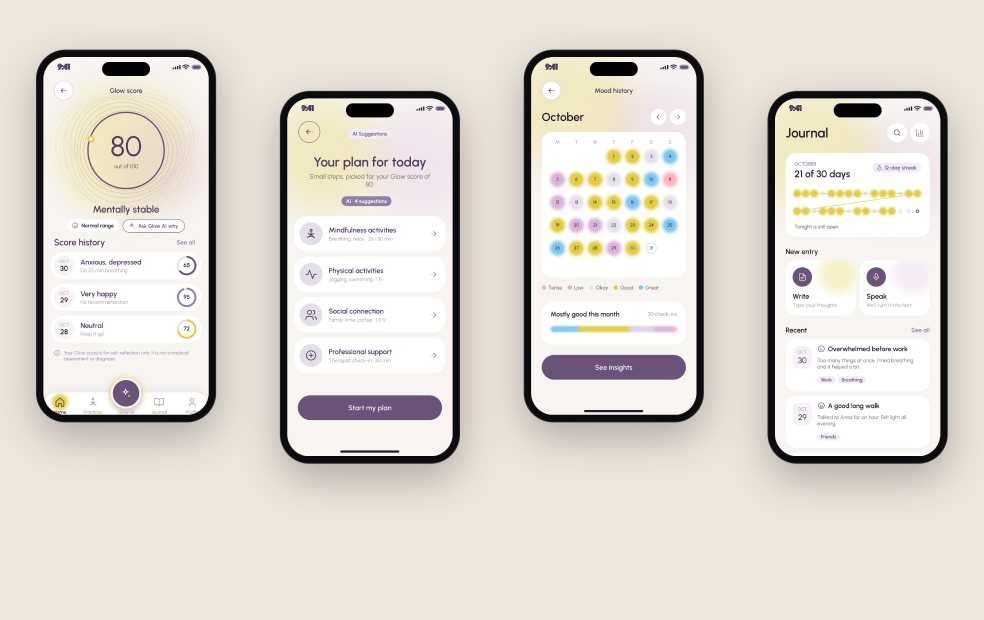
Five tabs: Home, Practices, Journal and Profile, with Glow AI in the central button.
09 — WIREFRAMES TO UI
Low-fidelity layout first, agreed with the client, then the final interface.
10 — SOLUTION
 12
 34
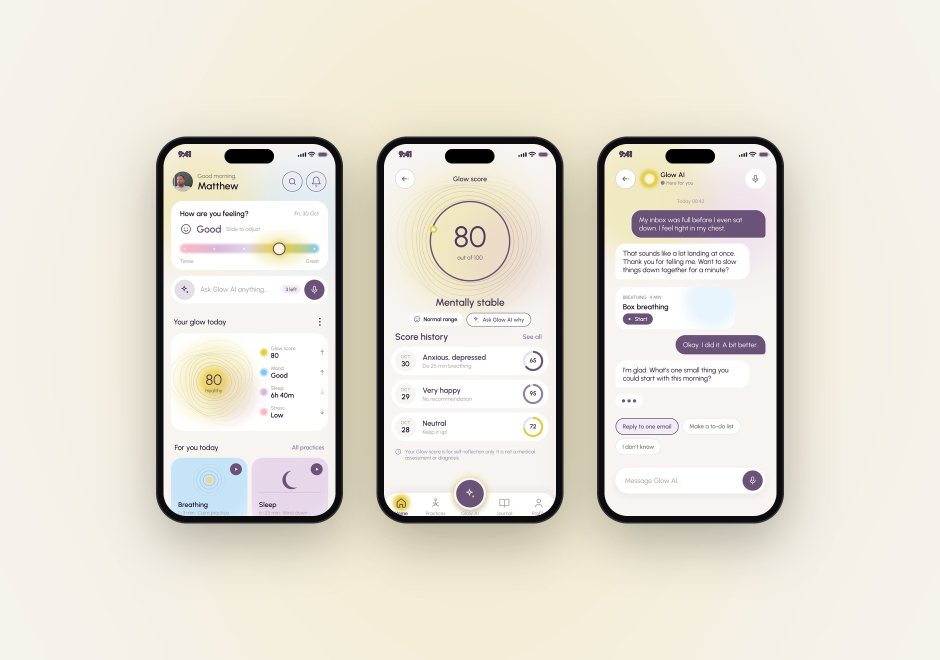
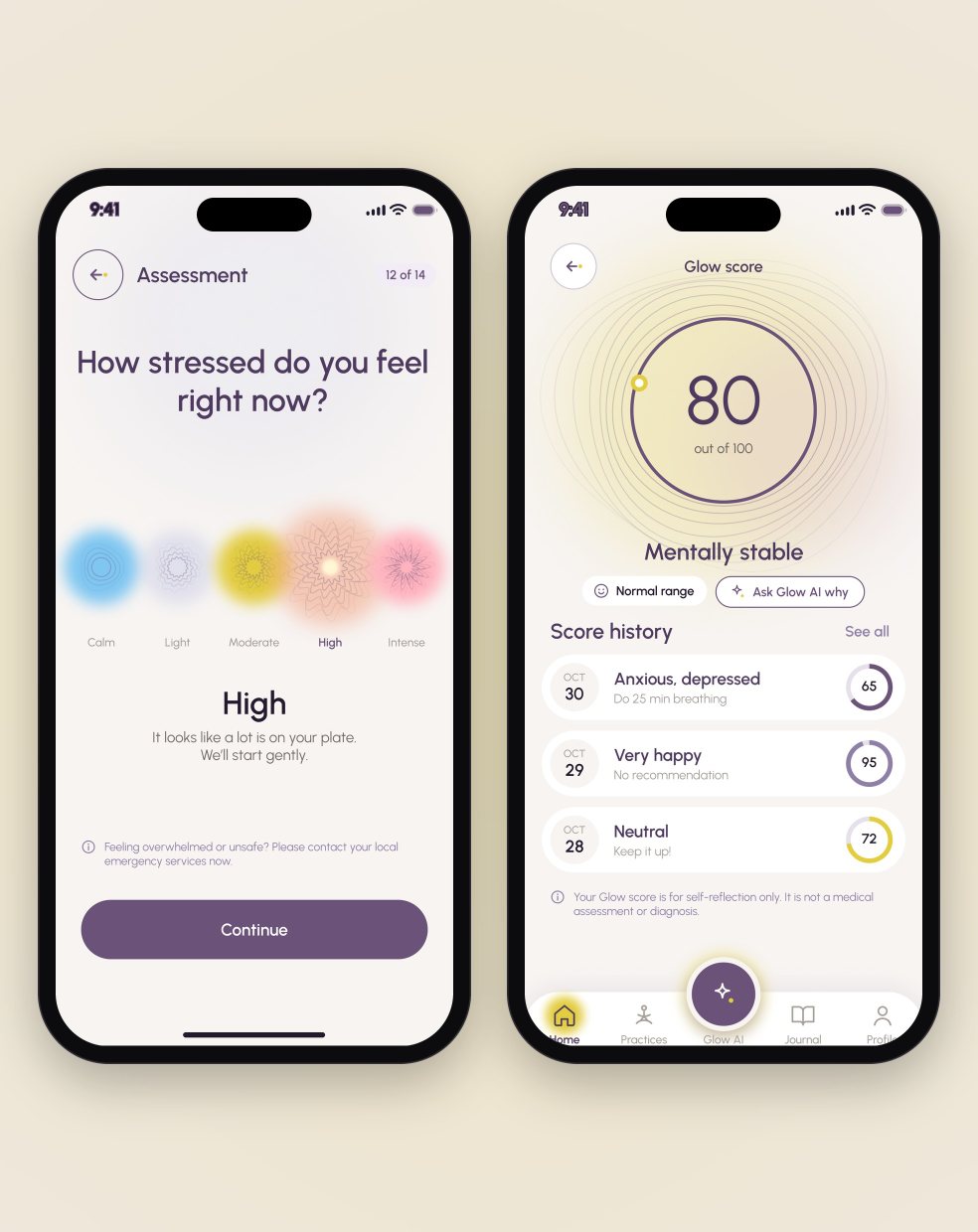
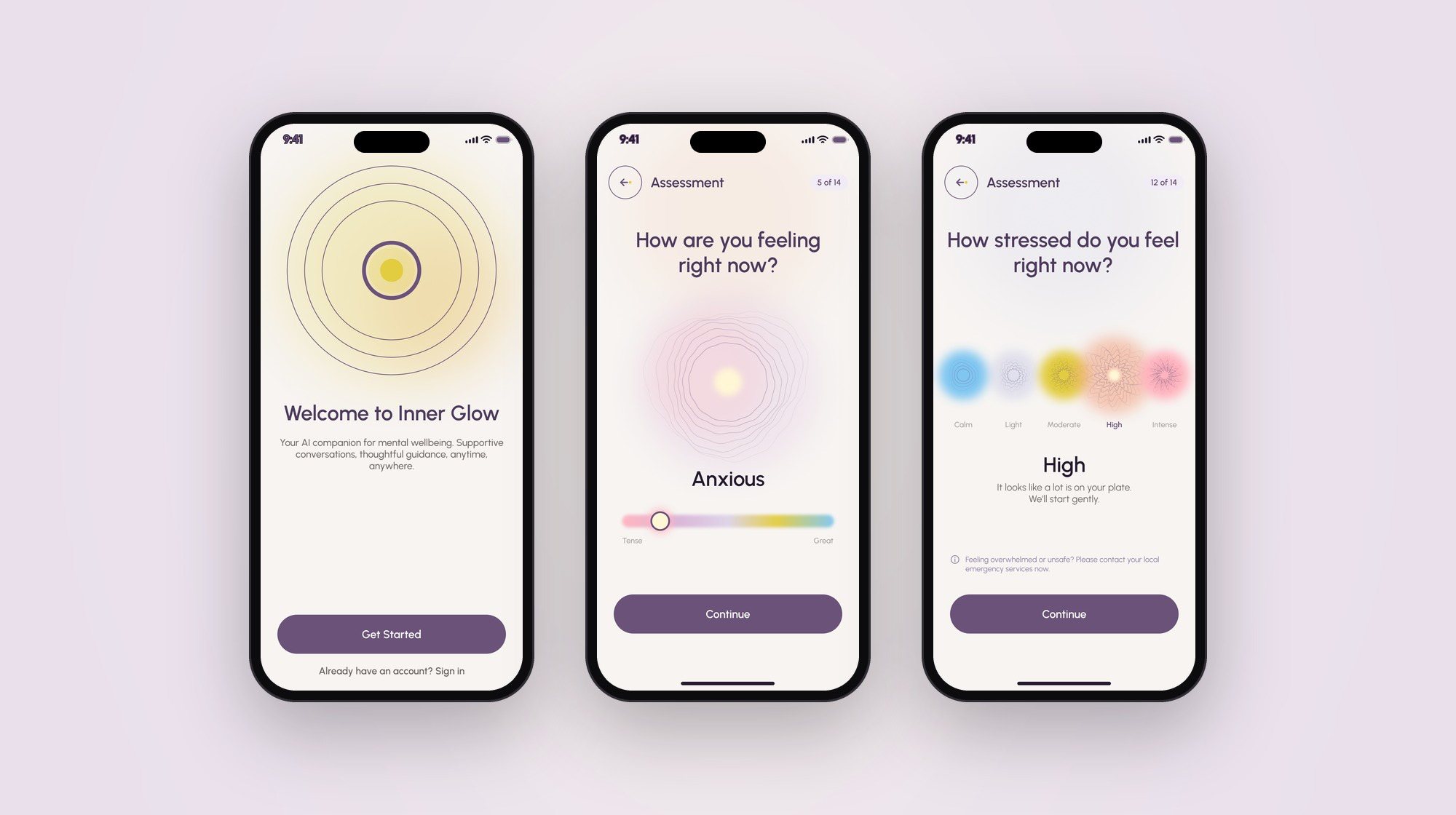
14 questions, one per screen, with a progress counter and a skip option on sensitive topics.
One number from 0 to 100 with a plain-language label, and a history of what changed.
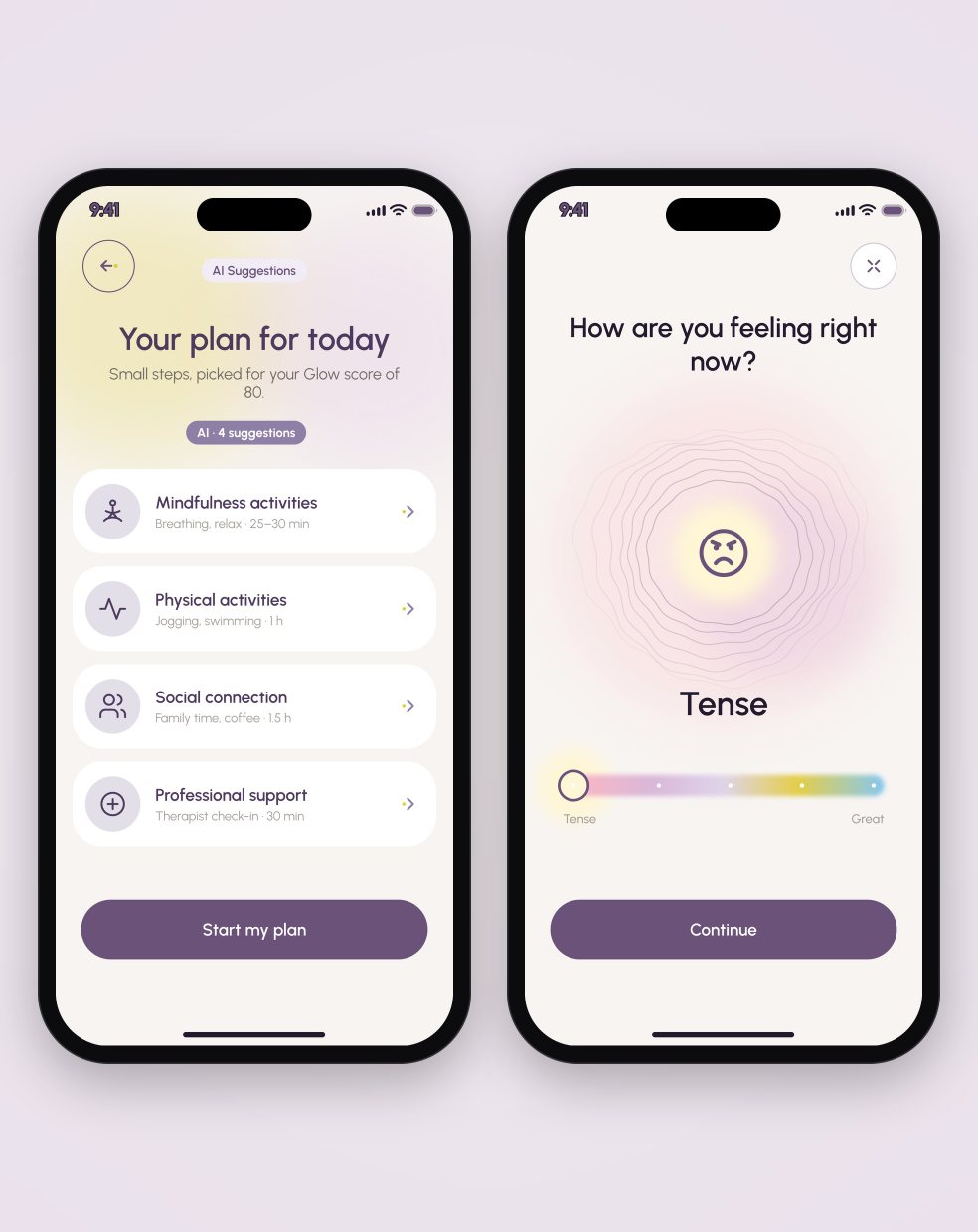
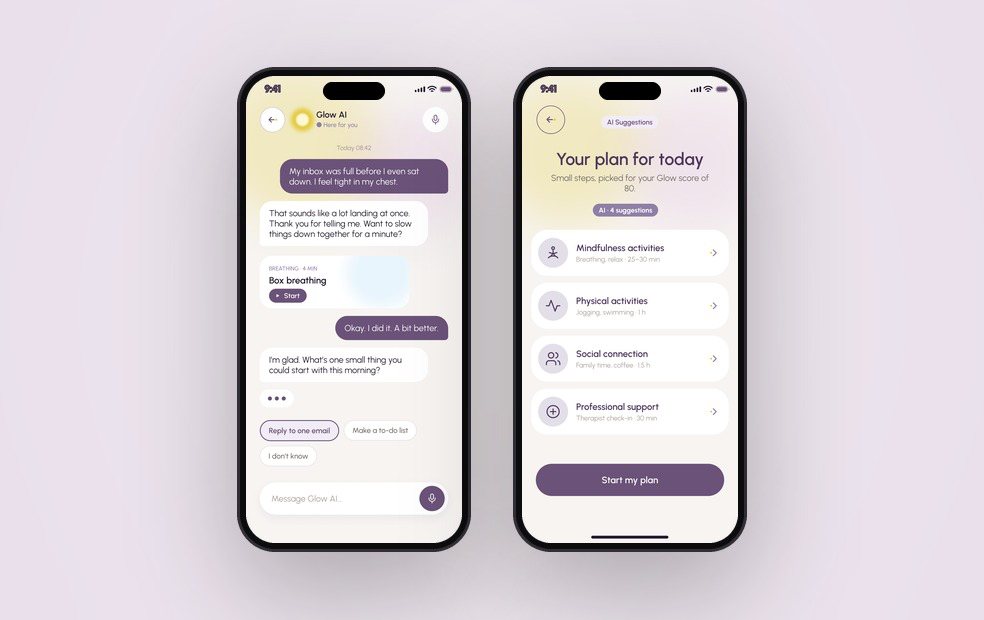
3–4 actions after each score — mindfulness, activity, social, professional support — with time needed.
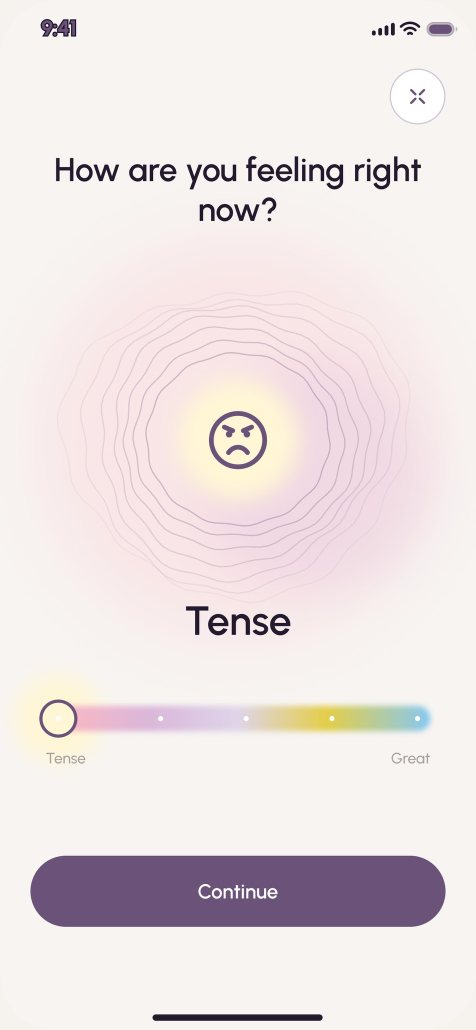
One tap with 5 emoji states and an optional note. 12 seconds on average in testing.
Text and voice chat with clear limits. Support contacts always sit in the chat header.
A single score can feel reductive, so details stay one tap away and every score has a label in words.
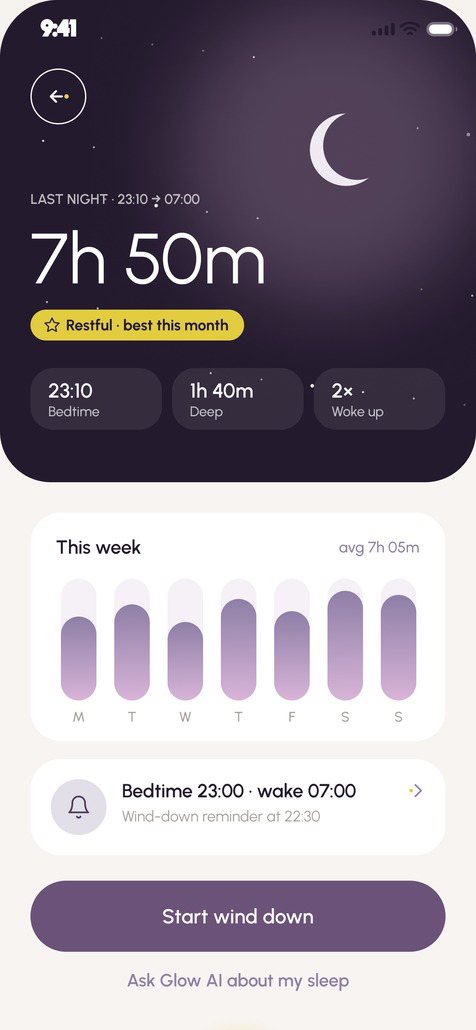
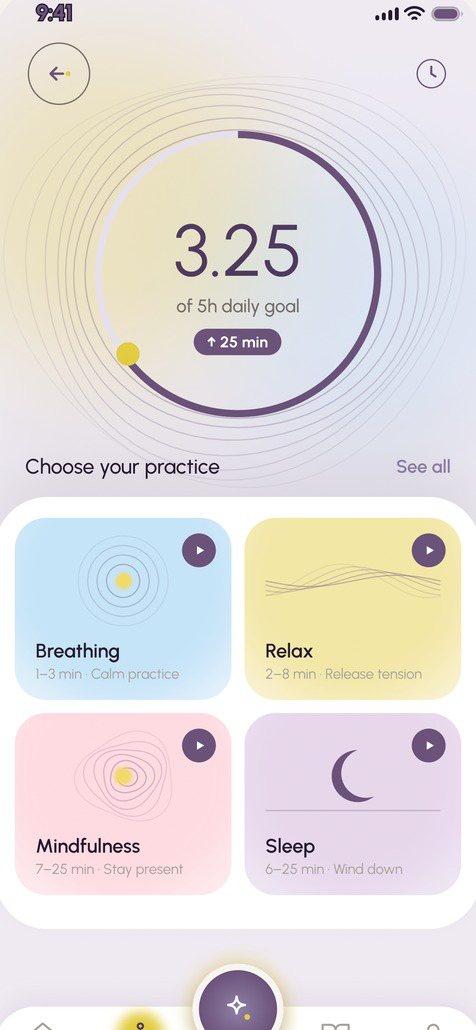
11 — SCREENS
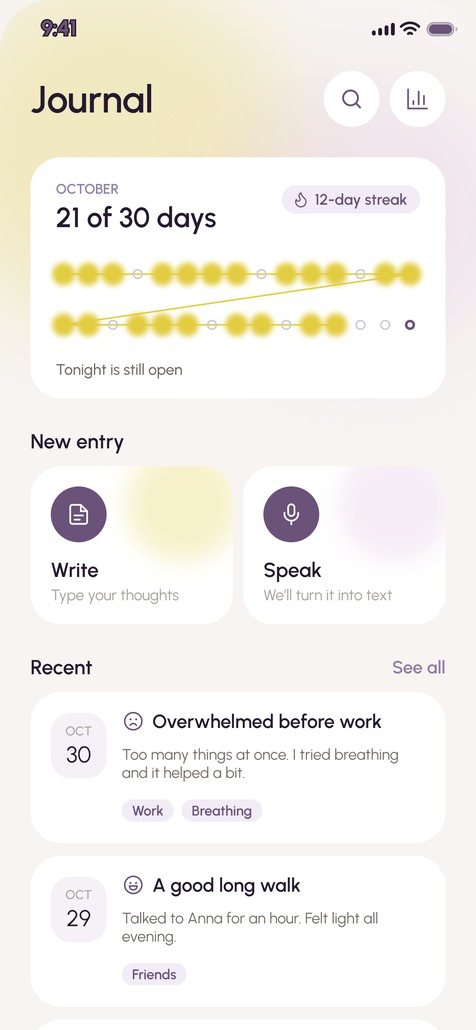
Key screens of the app.
12 — WHAT WE MEASURE
Eight hypotheses across five stages of the journey. Targets were set before launch; the prototype test already gave a first signal for four of the five stages.
13 — RESULTS
Moderated sessions with 6 people on Maze. 6 of 6 finished onboarding and understood their first score without help. The mood check-in took 12 seconds on average, and 5 of 6 said the suggested actions were the most useful part. Two people missed the support contacts, so they moved into the chat header.
In mental health products, tone matters as much as layout: “difficult day” instead of “negative” changed how people read the same chart. Next: test a shorter 5-question assessment, then track day-2 and day-7 retention and weekly suggested actions.